You are not alone if you have ever published a page and kept on checking Google to know whether it is showing or not.
For many website owners, crawling and indexing feel confusing — almost mysterious.
The reality is that Google has a reasonably rational process. When you know how it works, then you can find it easy to tell why certain pages appear fast, whereas others take longer.
This is a guide to crawling and indexing of a website by Google in a straightforward language without being technical.
What Does “Crawling” Mean in Simple Terms?
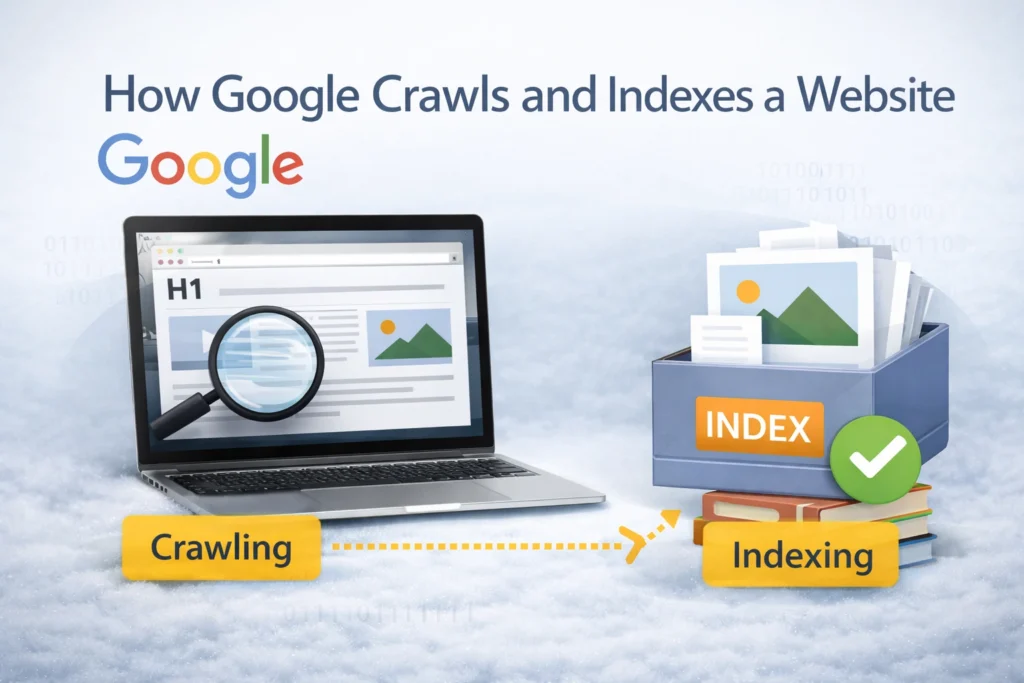
Crawling is the first step.
Google involves automated software known as crawlers (or Googlebot) to find pages on the internet. These crawlers browse through pages following the links.
Think of it like this:
Unless there are links to the page, Google finds it more difficult.
Google has Google crawling a page, but it does not rank the page. It is just finding out that the page exists and gathering general information.
What Is Indexing and Why Is It Important?
Indexing happens after crawling.
Once Google understands a page well enough, it stores the information in its massive database, known as the index. Only pages in this index are eligible to appear in search results.
This is why a page can be “crawled but not indexed.”
Google may find it, but decide it’s not ready — or not useful enough — to store.
Indexing depends on factors like:
- content clarity
- relevance
- duplication
- technical signals
- overall site quality
How Google Finds New Pages on a Website
Most new pages are discovered through links.
Internal links play a major role here. When you link a new blog from an already-known page, you’re basically guiding Google to it.
Other common discovery paths include:
- XML sitemaps
- backlinks from other websites
- navigation menus
- internal blog links
This is why isolated pages often take longer to index.
A Simple Example to Understand Crawling and Indexing
Imagine you publish a new blog post.
If it’s linked from your homepage or blog listing page, Google can easily find it during its next crawl. If the content is clear, original, and useful, it’s likely to be indexed soon after.
But if the same page:
- has no internal links
- sits under a noindex blog page
- repeats information already available elsewhere
- Google may crawl it, but choose not to index it immediately.
This delay is common and doesn’t always mean something is “wrong.”
Common Reasons Pages Don’t Get Indexed Quickly
This is where many websites struggle.
Sometimes indexing delays happen simply because the site is new. Other times, small issues quietly block progress.
Some common reasons include:
- Noindex tags applied unintentionally
- thin or repetitive content
- Poor internal linking
- slow page speed
- unclear page purpose
In most instances, the issue can be resolved after a period of time by enhancing the clarity and structure of the page.
Does Sitemap Submission Guarantee Indexing?
Sitemap submission aids Google to be able to finding URLs, however, not to indexing.
A sitemap is closer to a list of suggestions. Google continues to determine the pages that should be included in the index. That’s why it’s possible for pages to appear in a sitemap but remain unindexed for weeks.
Sitemaps work best when combined with:
- clean internal linking
- crawlable pages
- consistent publishing
Crawling vs Indexing vs Ranking (Quick Clarity)
These three terms are often mixed up.
Crawling means Google finds your page.
Indexing means Google stores your page.
Ranking means Google shows your page in search results.
A page must be crawled and indexed before it can rank. Skipping either step stops progress completely.
How Long Does Google Take to Index a New Website?
There’s no fixed timeline.
For new websites, indexing can take:
- a few days
- a few weeks
- sometimes longer
This depends on site activity, internal links, content quality, and crawl demand. As Google sees more consistency, indexing usually speeds up naturally.
Publishing more helpful content — not more content — makes the biggest difference.
What You Can Do to Help Google Crawl Your Site Better
You don’t need advanced technical skills to improve crawlability.
Focus on basics:
- Make sure important pages are internally linked
- Avoid unnecessary noindex tags
- Keep URLs clean and descriptive
- update existing pages when possible
Trust is developed over time through these little steps.
When you have already read about such aspects of on-page SEO or about SEO techniques, you will find that most of the same concepts are applicable in this case. Tricks are less important than clarity and structure.
Final Thoughts
Crawling and indexing are not fast, and neither is it always predictable.
Delays, however, become understandable as soon as you learn the manner in which Google crawls and indexes a site. The majority of problems are not punishment or errors; they are the indications that one of the pages lacks a clear objective or links.
Clean structure, consistency, and patience are a long way.
Frequently Asked Questions
Q1: How do I know if Google has indexed my page?
You can check using Google Search Console or by searching site:yoururl.com on Google.
Q2: Can a page be crawled but not indexed?
Yes. This is quite frequent, particularly with new or low-value pages.
Q3: Does updating content help indexing?
Often, yes. Updating clarity, examples, or structure can improve indexing chances.
Q4: Should I submit every page to Search Console?
It’s not required, but submitting important URLs can help discovery.
Q5: Is slow indexing bad for SEO?
Not necessarily. Many pages index slowly at first and perform well later.